Set up Packwiz for Halyx
MultiMC/Prism
ATLauncher
Generic
Build it Yourself
MultiMC/Prism
Halyx has direct support for MultiMC/Prism. Setup is easy and only takes a few minutes.
1. Create a new 1.21 Minecraft Instance
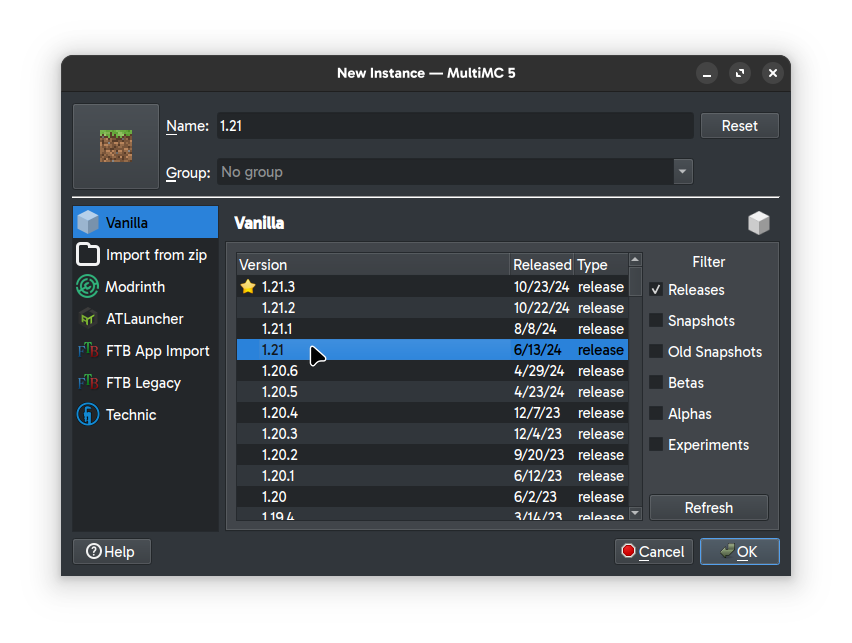
2. In the instance settings window on the Custom Commands tab, enable custom commands and paste one of the commands from the table below.
| Base Installation (Recomended) | "$INST_JAVA" -jar packwiz-installer-bootstrap.jar https://halyx.cesiumservices.com/packwiz/current/pack.toml | Installs only client-side mods. Includes optimizations and cosmetics. |
| Complete Installation | "$INST_JAVA" -jar packwiz-installer-bootstrap.jar -s both https://halyx.cesiumservices.com/packwiz/current/pack.toml | Installs all mods. Necessary for testing the full capabilities of Halyx. |
| Lite Installation | "$INST_JAVA" -jar packwiz-installer-bootstrap.jar -s client https://halyx.cesiumservices.com/packwiz/lite/pack.toml | Only installs the essential mods. Not yet available. |
| Preview Modpack | "$INST_JAVA" -jar packwiz-installer-bootstrap.jar -s both https://halyx.cesiumservices.com/packwiz/preview/pack.toml | Installs the preview version of the modpack. Not compatible with the server. |
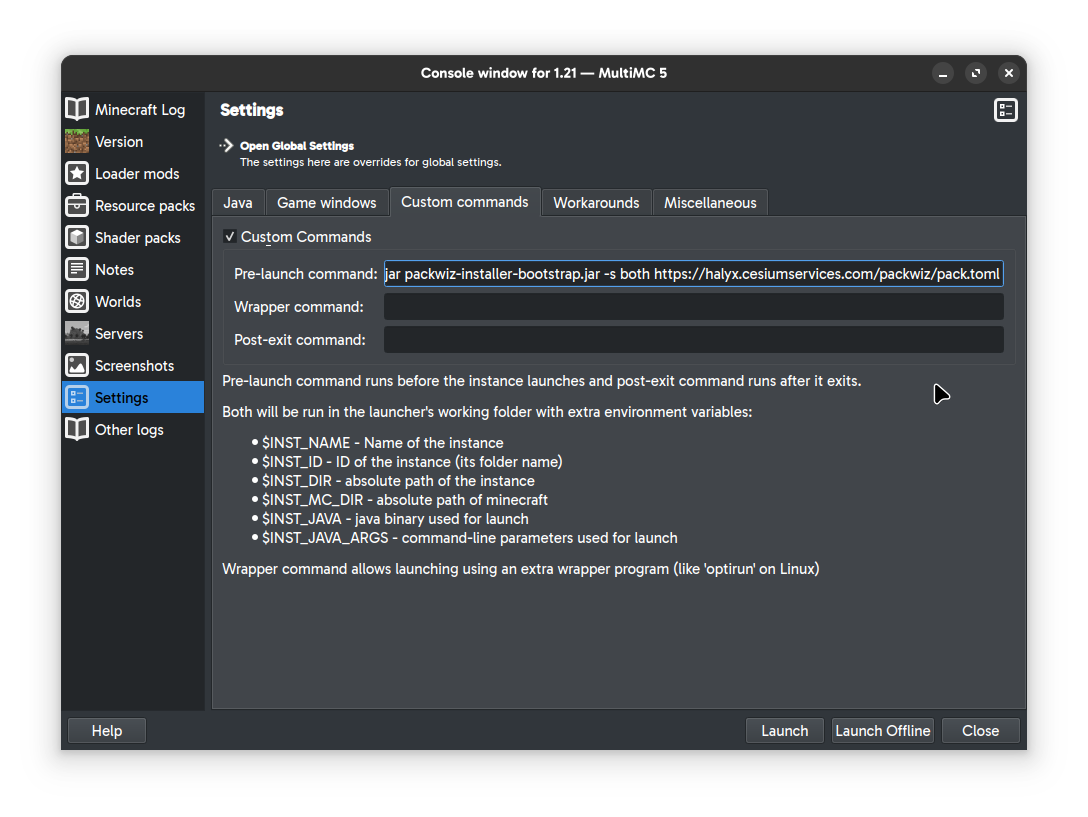
3. Download the PackWiz installer to your .minecraft folder
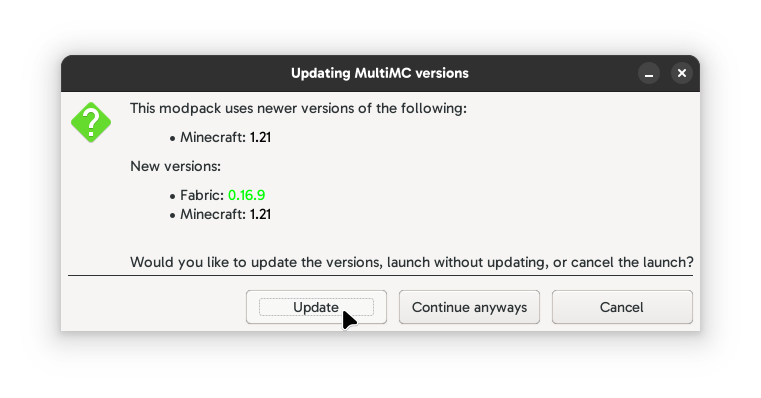
4. Launch Minecraft
4a. If you get a window asking you to update, select "Update."
5. Allow time for PackWiz to install the modpack.
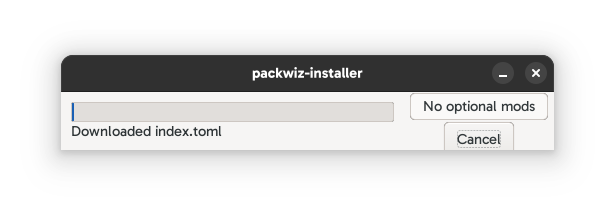
Done! You can now play on the Halyx Server.
ATLauncher
1. Create a new 1.21 Minecraft Instance
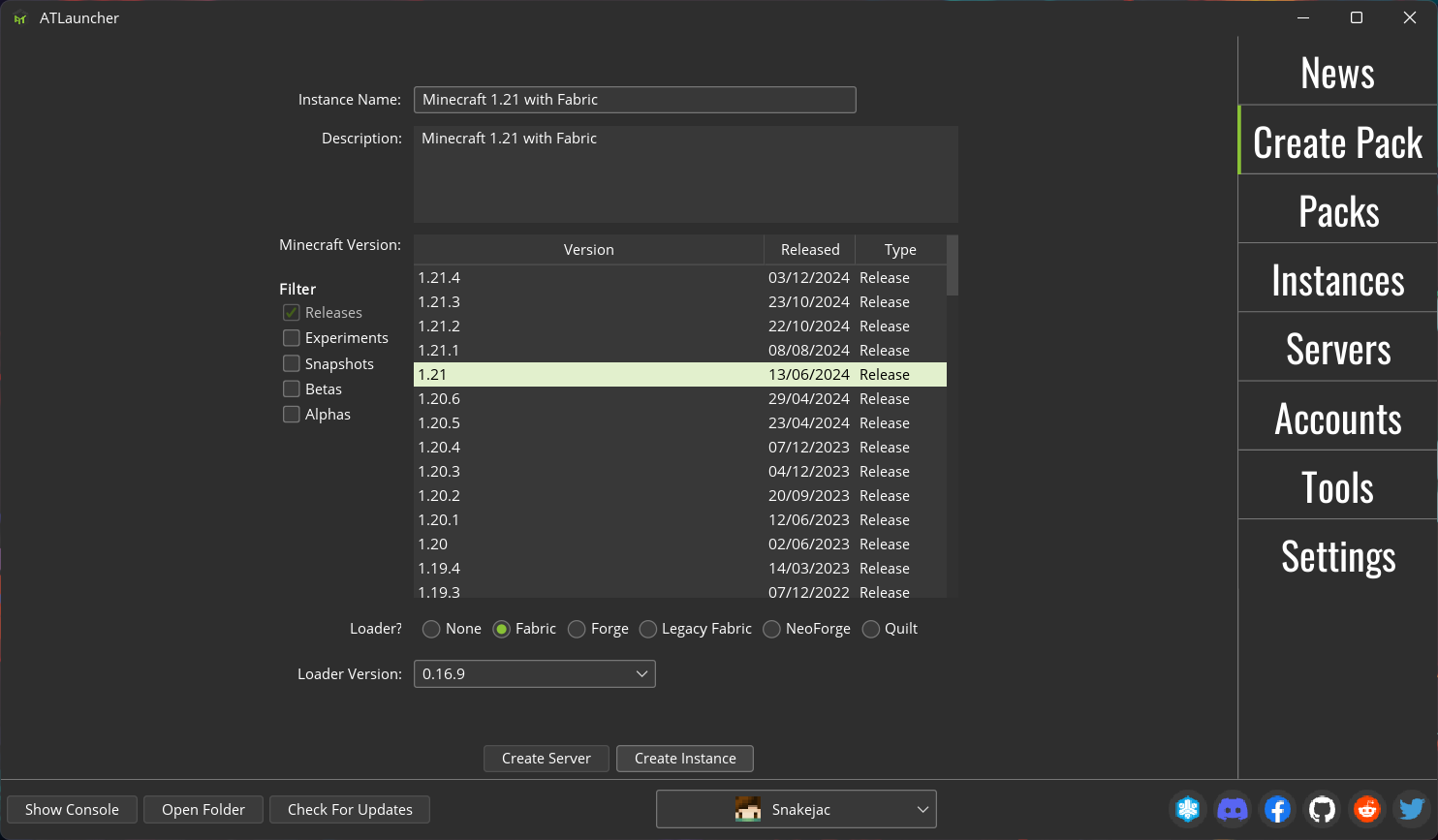
2. Navigate to your new instance
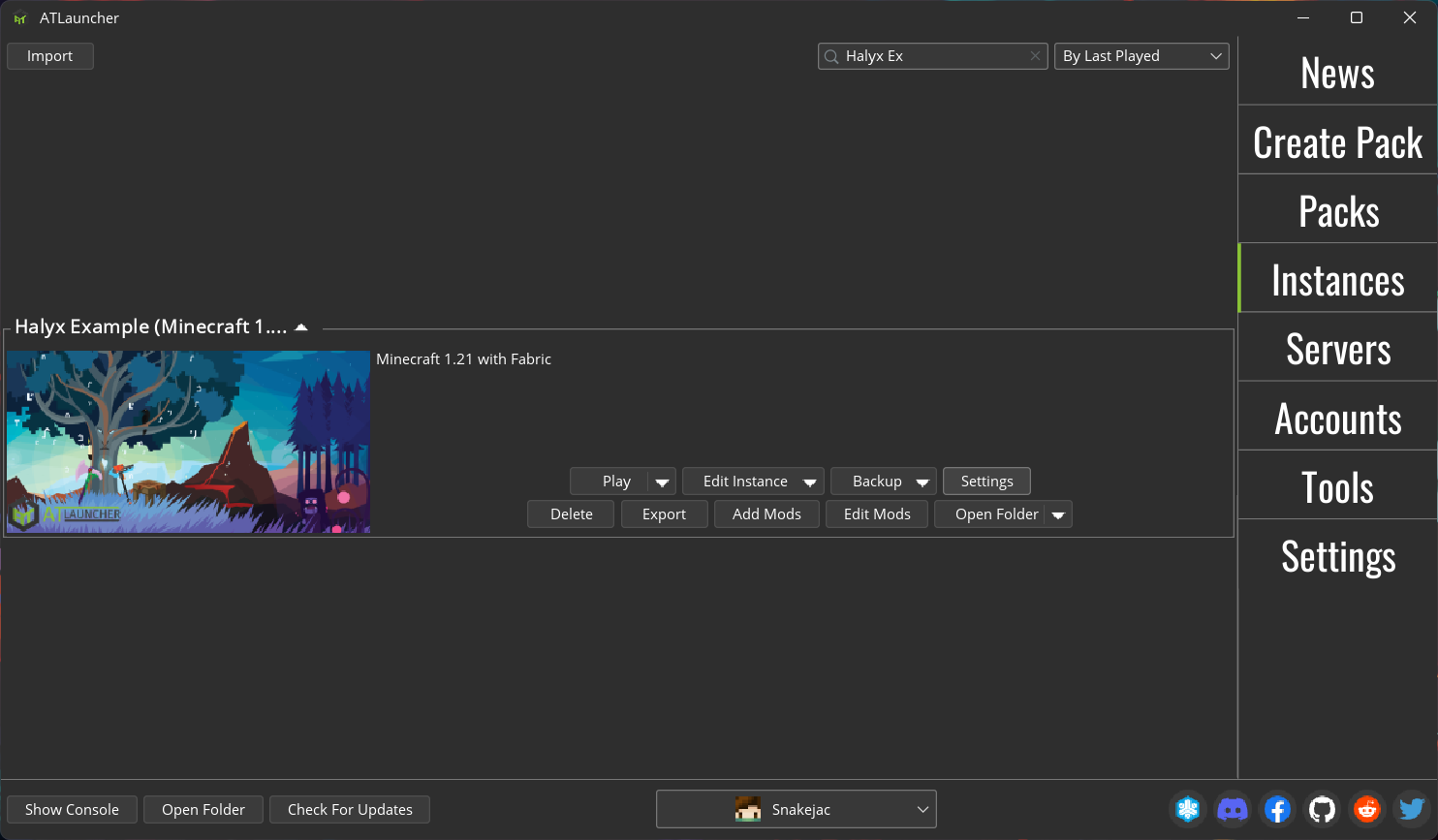
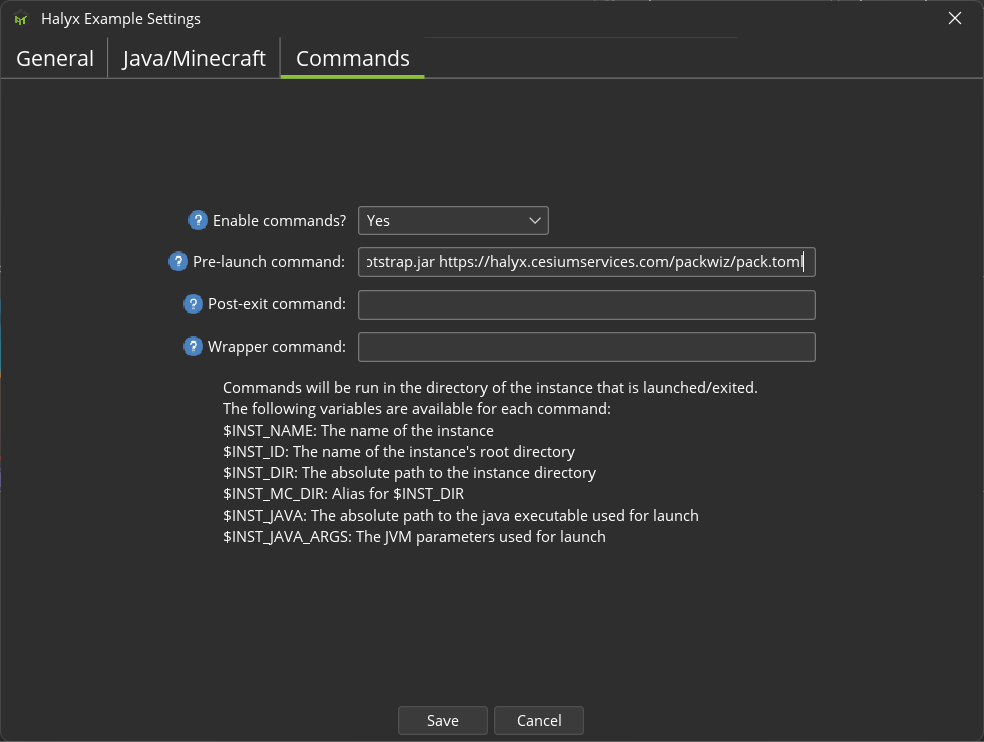
3. Enable custom commands, and paste one of the commands from the table below.
| Base Installation (Recomended) | "$INST_JAVA" -jar packwiz-installer-bootstrap.jar https://halyx.cesiumservices.com/packwiz/current/pack.toml | Installs only client-side mods. Includes optimizations and cosmetics. |
| Complete Installation | "$INST_JAVA" -jar packwiz-installer-bootstrap.jar -s both https://halyx.cesiumservices.com/packwiz/current/pack.toml | Installs all mods. Necessary for testing the full capabilities of Halyx. |
| Lite Installation | "$INST_JAVA" -jar packwiz-installer-bootstrap.jar -s client https://halyx.cesiumservices.com/packwiz/lite/pack.toml | Only installs the essential mods. Not yet available. |
| Preview Modpack | "$INST_JAVA" -jar packwiz-installer-bootstrap.jar -s both https://halyx.cesiumservices.com/packwiz/preview/pack.toml | Installs the preview version of the modpack. Not compatible with the server. |
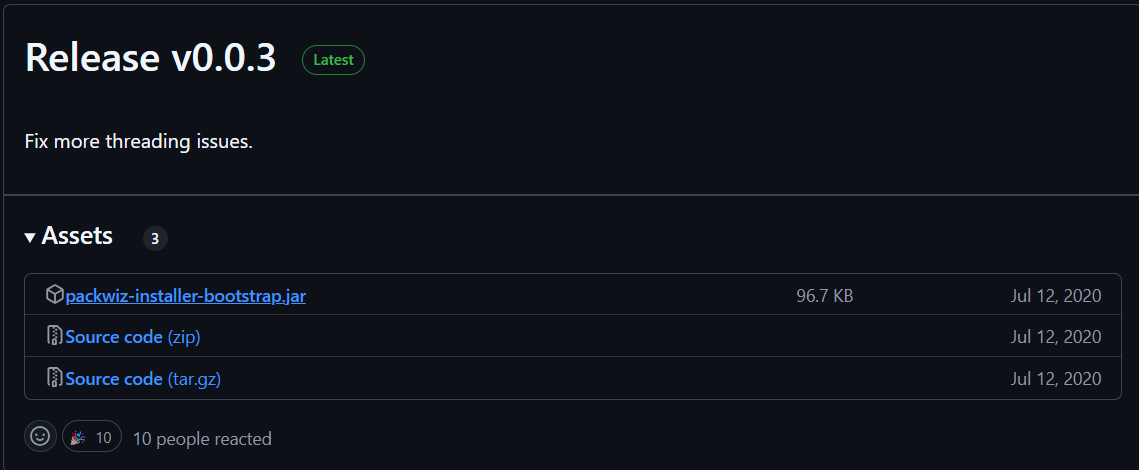
4. Download `packwiz-installer-bootstrap.jar` from the PackWiz installer page, and put it in your instance folder (`Open Folder` button)
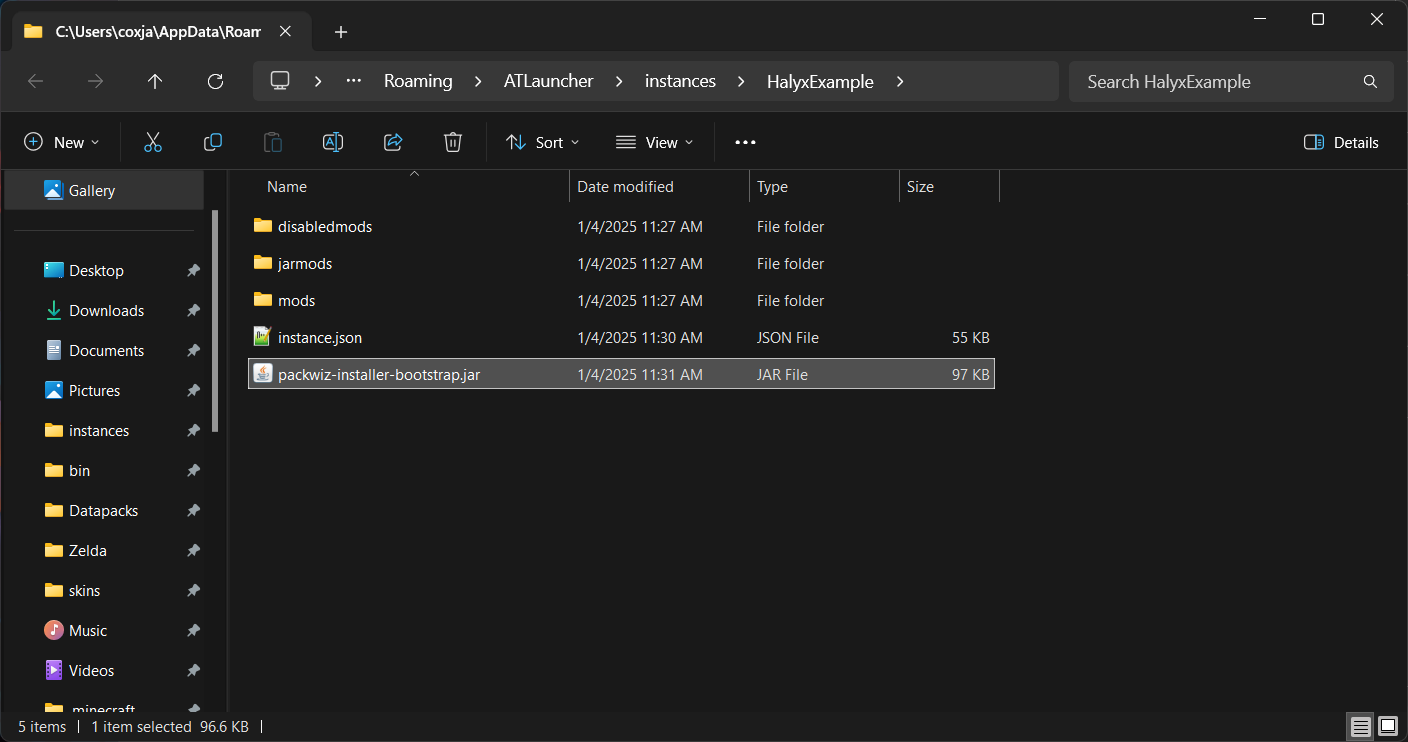
Done! You can now play on the Halyx Server.
Guide written by Snakejac
Generic
For generic instructions for setting up PackWiz (such as for a launcher not listed above), please go to the PackWiz website.
If you use another launcher and it supports pre-launch commands (such as ATLauncher), feel free to write some instructions and provide screenshots!
If you decide to use the generic method, the pre-launch commands table is shown below:
| Base Installation (Recomended) | "$INST_JAVA" -jar packwiz-installer-bootstrap.jar https://halyx.cesiumservices.com/packwiz/current/pack.toml | Installs only client-side mods. Includes optimizations and cosmetics. |
| Complete Installation | "$INST_JAVA" -jar packwiz-installer-bootstrap.jar -s both https://halyx.cesiumservices.com/packwiz/current/pack.toml | Installs all mods. Necessary for testing the full capabilities of Halyx. |
| Lite Installation | "$INST_JAVA" -jar packwiz-installer-bootstrap.jar -s client https://halyx.cesiumservices.com/packwiz/lite/pack.toml | Only installs the essential mods. Not yet available. |
| Preview Modpack | "$INST_JAVA" -jar packwiz-installer-bootstrap.jar -s both https://halyx.cesiumservices.com/packwiz/preview/pack.toml | Installs the preview version of the modpack. Not compatible with the server. |
Build It Yourself
Documentation for do-it-yourself modpack builds are not yet available.
Find the modlist and download them yourself.